
Record, Replay & Analyze your PTCGL matches
Auto-upload with PTCGL Tracker, or paste match logs manually
See it in action
The same replay experience on PC and mobile
How It Works
Play PTCGL
Play Pokemon TCG Live as usual
Capture the log
After your match ends, copy the log to your clipboard
Upload Your Log
Upload your match log using the method that suits your device
Add to home screen for one-tap upload after each game
Tracker auto-uploads after each game
Download for WindowsTracker auto-uploads after each game
Download for MacPaste your copied log directly from PC or mobile — no app required
Open paste formReview & Analyze
Watch turn-by-turn replays and improve your gameplay
No extra steps! Install Tracker, sign in, and your matches auto-upload
Required PTCGL Settings
Please configure the following settings in PTCGL for replay analysis to work correctly.
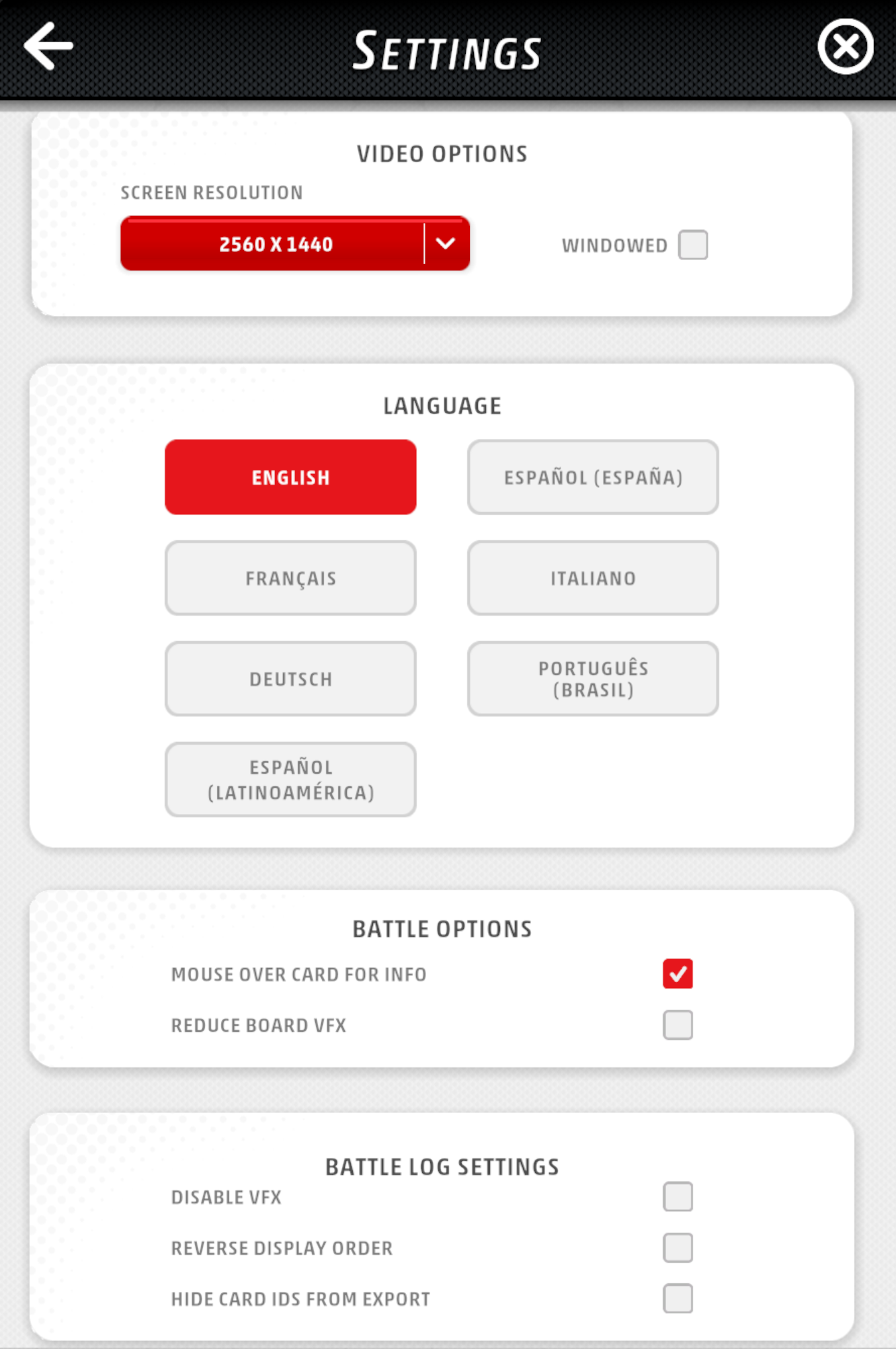
Enable Windowed Mode
Check "WINDOWED" in VIDEO OPTIONS. The Tracker needs this to access log files.
Set Language to English
Select "ENGLISH" under LANGUAGE. Currently, only English logs are supported for analysis.
Disable HIDE CARD IDS FROM EXPORT
Uncheck "HIDE CARD IDS FROM EXPORT" in BATTLE LOG SETTINGS. Card images cannot be displayed without card IDs in the log.
Watch how to export your battle log
Features
Turn-by-Turn Replay
Watch your matches unfold with card images displayed for every action
Deck Management
Organize your decks with automatic archetype detection
Privacy First
All match logs are uploaded as private by default. Share only the matches you want others to see
Mobile Support
Review your matches on any device with a responsive interface
 Kangaskhan

 Typhlosion Dragapult
 Alakazam
 Mega Lopunny
 Greninja
 Festival Grounds Dipplin